

Game Details


♂ After reviewing the game, BUY the game to support the developer
https://store.steampowered.com/app/361420
Screenshots

Trailer
About This Game
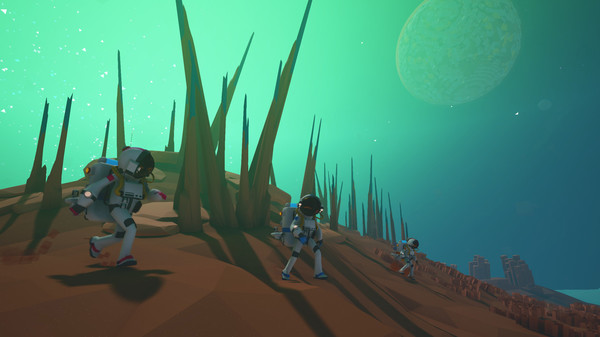
A game of aerospace industry and interplanetary exploration.
System Requirements
MINIMUM:
- Requires a 64-bit processor and operating system
- OS: Windows 7 SP1 (64 bit only), Windows 8 (64 bit only), Windows 10 (64 bit only)
- Processor: X64 Dual Core CPU, 2+ GHz
- Memory: 4 GB RAM
- Graphics: Discrete Non Mobile GPU with 1 GB Ram
- DirectX: Version 11
- Storage: 2 GB available space
- Sound Card: Any
- Additional Notes: Internet connection required for online multiplayer
How To Install The Game
1) Download the game using a Torrent program or Direct program
2) Extract the game to your preferred location with WinRar or 7-Zip
3) Wait for the extraction to end
4) No need to install the game, just start with the LAUNCHER of the game as administrator
5) Play!
How To Play OnLine
1) Download Steam-Fix
2) Copy the content of this crack to your game folder
3) Start Steam and login with your account
4) Launch ASTRONEER
5) In-game -> Connection : Accept an invitation from a friend -> play!
Creating a server : Start a new game or load a saved game -> configure ur everything as we wish and start the game -> Press ESC -> Cooperation -> click on ur friends and invite them to the server !
6) Play & Enjoy !
Modes : MultiPlayer ❌ | Co-oP 
Fix From: OnlineFix (0xdeadcode)
General Notes:
– Make sure you have Spacewar installed. Windows Key + R and type (steam://install/480).
– It is recommended to turn off your antivirus as some files get detected as false positive.
– In the case of an offline game, you may need to block it with firewall to prevent it from going online.
– Do not block the game with firewall if you are playing an online game with your friends.
– Turn Off your AntiVirus and Block the game’s exe in your firewall to prevent the game from
trying to go online ..
– If you install games to your system drive, it may be necessary
to run this game with admin privileges instead
– If you have a vac ban then you won’t able to play online games, create a new account if the account you gonna use have one of those.
-Need Help!! Join our server

Download The Game
Important: This is not an official release of the game developer. Please after the test, buy game from the developer for the best experience.



Comments
THANK YOUUUUUUUUUUU
I invite my friend to my game but he cant join it, do you know the reason?
.
the same problem
you might have issue with your firewall blocking connection
probably you trying to join steam game to cracked game or cracked game to steam game. both you should download the same version of the game.
you can shift+tab open chat your invite friend click join play and enjoy
Alternatively build and run the UNCOOKED version error
coop does not work inviting does work either
if you want to play with friends, add astro game to steam – steam – library – add game – add a non steam game – locate your astro and add it – then launch it from steam and u should be playing spacewar if u are playing spacewar then multiplayer will work for you:)
also u need to have steam fix in astro main folder, otherwise it wont work
OOOh really? do you really need to have the FIX TO PLAY ONLINE to PLAY ONLINE? No shit sherlock
It says for me you are offline in astroneer and i am in online mode on steam
I cant change my suit
why dont you upload fucking Google Drive?
The files get removed on google drive.
i have a 10048 bind socket error when i try to run it and my frend doesnt what do i do
the same error….
i got error called “server initialisation failed”
then error 10048
game stuck on the loading screen.
For anyone having error “bind socket error” or “server initialisation failed”
Rename the file Serveremulator.dll inside Astro/Binaries/Win64 to something like serveremulator_old.dll, or just delete it. Worked for me, now i can play with my friends.
It works. It worked 5 months ago. it works now. it always worked. if it doesn’t work for you then you don’t know how to do it.
Server Initializatiion failed