

Game Details
Release name: Kitaria Fables
Size: 474 MB
Genre: Action, Adventure, RPG
Developer: Twin Hearts
Publisher: PQube Limited
Release Date: 2 Sep, 2021
ALL REVIEWS: Mostly Positive (611)
♂ After reviewing the game, BUY the game to support the developer
https://store.steampowered.com/app/1356280/
Screenshots

Trailer
About This Game
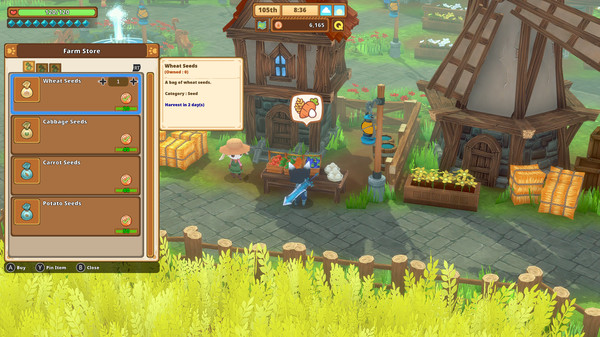
Action Adventure fused with RPG and Farming elements. Armed with sword, bow and spellbook, fight against a rising darkness threatening the world. Plunder dungeons in search of relics and resources, tend to your farm to make provisions and potions, and take on quests solo, or with a friend!
System Requirements
MINIMUM:
- OS: 64 bit Windows 10 / 8 / 7
- Processor: Intel Core i5-2500K 3.3GHz / AMD FX-8150 3.6GHz or equivalent
- Memory: 4 GB RAM
- Graphics: GeForce GTX 550 Ti / Radeon HD 6790 2GB VRAM*
- Storage: 4 GB available space
- Sound Card: DirectX compatible soundcard
How To Install The Game
1) Download the game using a Torrent program or Direct program
2) Extract the game to your preferred location with WinRar or 7-Zip
3) Wait for the extraction to end
4) No need to install the game, just start with the LAUNCHER of the game as administrator
5) Play!
General Notes:
– Make sure you have Spacewar installed. Windows Key + R and type (steam://install/480).
– It is recommended to turn off your antivirus as some files get detected as false positive.
– In the case of an offline game, you may need to block it with firewall to prevent it from going online.
– Do not block the game with firewall if you are playing an online game with your friends.
– Turn Off your AntiVirus and Block the game’s exe in your firewall to prevent the game from
trying to go online ..
– If you install games to your system drive, it may be necessary
to run this game with admin privileges instead
– If you have a vac ban then you won’t able to play online games, create a new account if the account you gonna use have one of those.
-Need Help!! Join our server

Download The Game
Important: This is not an official release of the game developer. Please after the test, buy game from the developer for the best experience.



Comments
How to play with remote play on steam?