

Game Details


Screenshots
Trailer
About This Game
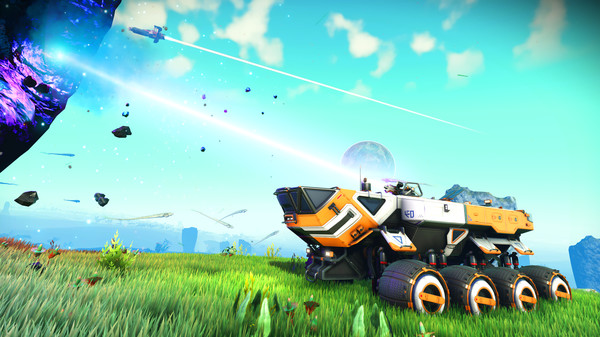
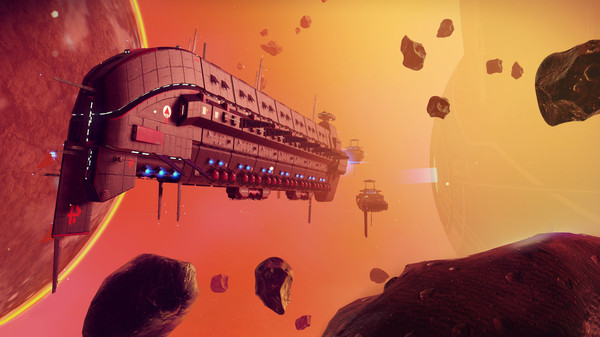
Inspired by the adventure and imagination that we love from classic science-fiction, No Man’s Sky presents you with a galaxy to explore, filled with unique planets and lifeforms, and constant danger and action.
In No Man’s Sky, every star is the light of a distant sun, each orbited by planets filled with life, and you can go to any of them you choose. Fly smoothly from deep space to planetary surfaces, with no loading screens, and no limits. In this infinite procedurally generated universe, you’ll discover places and creatures that no other players have seen before – and perhaps never will again.
System Requirements
MINIMUM:
OS: Windows 7/8.1/10 (64-bit versions)
Processor: Intel Core i3
Memory: 8 GB RAM
Graphics: nVidia GTX 480, AMD Radeon 7870
Storage: 10 GB available space
How To Install The Game
1) Download the game using a Torrent program or Direct program
2) Extract the game to your preferred location with WinRar or 7-Zip
3) Wait for the extraction to end
4) No need to install the game, just start with the LAUNCHER of the game as administrator
5) Play!
How To Play OnLine
At least Windows 10 x64 version 1909 or later with Microsoft Store and Xbox services installed.
1) Run UWP_Helper.bat, which is located in the game folder. (run normally, will error if ran as admin)
2) Turn on the developer mode (Enable Developer Mode) . (we reboot the PC if necessary) (performed once)
Before enabling developer mode, check out what it is on the Internet.
3) Install Game (performed once)
4) Turn off the developer mode (Disable Developer Mode) . (performed once)
5) Run the game through the start menu.
6) We login using our dummy xbox account, do not use your personal account
In-game -> Connection : accept an invitation from a friend and connect to the server.
You can also join any other game using matchmaking.
Creating a server : Creating a world and loading into it -> ESC -> Network and voice -> Invite friends -> Invite friends and wait for their connection -> Play!
7) Play & Enjoy !
Modes : MultiPlayer  | Co-oP
Fix By: OnlineFix
General Notes:
– Make sure you have Spacewar installed. Windows Key + R and type (steam://install/480).
– It is recommended to turn off your antivirus as some files get detected as false positive.
– In the case of an offline game, you may need to block it with firewall to prevent it from going online.
– Do not block the game with firewall if you are playing an online game with your friends.
– Turn Off your AntiVirus and Block the game’s exe in your firewall to prevent the game from
trying to go online ..
– If you install games to your system drive, it may be necessary
to run this game with admin privileges instead
– If you have a vac ban then you won’t able to play online games, create a new account if the account you gonna use have one of those.
-Need Help!! Join our server

Download The Game
Important: This is not an official release of the game developer. Please after the test, buy game from the developer for the best experience.



Comments
Not working..
I get an error when running the UWP_Helper.bat. After turning on the dev mode, it won’t install even after running it with admin rights and turning on dev mode in the .bat file
Not working
If anyone’s getting an error in the UWP helper, make sure none of the game folders have a ‘ in them, so make it No Mans Sky instead of No Man’s Sky
where did all the comments go?
Did you fix the non-response after running it on the window start menu?
This work for me “none of the game folders have a ‘ in them” but game still dont work from the start menu windows
nvm, pls delete
Can someone help..? Ehh. 😐
Link not working, in the end error 404
Not Working
FODASE
i have problem please when i launched the game i got message saying unable to sign into xbox live and my xbox account is already open what should i do???
This game doesnt work chill..
Yo, due to some ppl have problems with the UWP_helper.bat i coded a new installer / uninstaller.
Make sure to copy them in the game folder and that the path to the folder has no cypric characters like ‘ in No Man’s Sky
Start the game after the installation through the Windows Start Menu!
Doesnt work this game not open anyway .. Not responding… Clicking the shortcut and nothing..
Hey I enabled developer mode and install game. so, do I have to start game with UWP_Helper? or before exit?
I execute .bat and all ok but this game don’t open
https://ibb.co/3m5NtQY
[url [/img][/url]
Was anyone able to play this game yet? It does not launch at all. Did all the steps. My windows has latest version 21H1, and yet won’t work. Any thoughts?
Still bad
still not working mr. gookie 🙂
New version still not working.. Not responding. Ehmmm.. I mean game installed but not responding at all..
Everybody to fix “game not launching after opening No Man’s Sky from start menu” is to make sure you have the microsoft xbox app downloaded on your computer.
the game is no lunching
Is having breakfast
so the torrent will install with the uwp_helper.bat but it wont lunch and the direct link the helper will not download
will the steam version return?
it worked for me, I had all the staff errors, but I had to reinstall the xbox from the windows store and then the installation was normal
The game works, but when I played with my friend my save was lost, I had to start the quest again and everything
how did you guys played I got no join button on start up
it’s working
can someone explain to me how to make it work i followed the instruction but maybe I’m not understanding when he said open steam and login
Unknown error,
Unable to sign into xbox live.
Ive blocked it in the firewall too so idk whats going on
pls i need windows 8.1
[TUTORIAL]
guys, the procedure I followed was as follows:
-Download the normal game
-Install xbox through windows store and configure your account, nothing unusual
-When the game downloads, place it inside somewhere that the path is for example: C:/No Man Sky
-And then run UWP_Helper with administrator.
-Use commands 2, then 1(to activate developer mode and then install)
-Then run the game from the library on the xbox of the pc you installed
i did the same thing, the game start but then during the loading animation it gives me this error. 77693_0xDA38B0_XB2535458714958766 and say game will shutdown now
This works for me. Thank you
Everything works fine
Check the tuto from Nicolas in comment section
i finnally solved my problem! if the game is not launching from windows menu after installing here’s the tip: install xbox app from microsoft store, in order to run the game you MUST have this app installed.
when I select any mode to play they took me to the loading screen and show me this (the game has encountered an error)
A GUIDE HOW I DOWNLOADED THE GAME AND RUN IT PERFECTLY WITHOUT ANY ERROS.
please follow these instructions carefully,,
1-Download the game from the links Game3rb provided
2-Make sure you have microsoft xbox gaming services installed from microsoft store through this link “https://www.microsoft.com/en-us/p/gaming-services/9mwpm2cqnlhn?activetab=pivot:overviewtab”
3-also Make sure you have the xbox app installed from microsoft store through this link “https://www.microsoft.com/en-us/p/xbox/9mv0b5hzvk9z#activetab=pivot:overviewtab”
4-When the game downloads select all of the winrar files and extract them, after extracting them[make sure the name of the folder that you just extracted doesnt have a comma like this No Man’s Sky][and if it does delete it by renaming the folder][im talking about the comma in the word Man’s youve gotta rename it to Mans without a comma]
5-after everything is set you must install the game with a file called UWP_Helper… so run that file as adminstrator by right clicking it and pressing run as adminstrator..
6-a command prompet must pop up with no errors… you basically must press 2 then press Enter to activate the developer mode… then press 1 then press Enter to start installing the game.[IMPORTANT— if u faced any errors while running the UWP_Helper or during installing the game MAKE SURE YOU FOLLOWED ALL OF THE STEPS CAREFULLY].
7-now to run the game press the windows button and you should find it in your home screen.. i suggest you pin it to access is it easier… if u didnt find it press the search button in ur task bar and type “no man” and it should pop up….. if you still didnt find it i suggest you Enable developer mode from your device settings… watch a youtube vid if you dont know how to do that… after you enabled dev mode from your device Redo STEP (6) carefully…
FINALLY ONLINE ERRORS:::
8-IMPORTANT- if you cant play with a friend or you cant access the online services of the game for any reason… you simply must make sure that you have both “System Time” and “Time Zone” set to “AUTO” in the settings of your device… thats a very common issue for many players and its been like that for a whole year since the online release of the game.
hope that helps…. I WILL edit and ADD A TUTORIAL HOW TO GET UNLIMITED MONEY(units, nanites) AND MATERIALS in the game if this comment reached 50 likes and its quite a simple step lol.
need to update game
I can’t sign in, “unable to sign in into xbox live”
thank you so much
Welcome 🙂
how can i play online plz need help need to know how to make sessions and invite friends
Make sure you did all of the steps correctly
“I WILL edit and ADD A TUTORIAL HOW TO GET UNLIMITED MONEY(units, nanites) AND MATERIALS in the game if this comment reached 50 likes and its quite a simple step lol.”
Please add this tutorial, the comment has reached the target likes.
Thanks for the game.
Done, thanks for the reminder
Hello Guys,
Thanks for reaching the targeted likes It is an honor.
Regarding the Promised cheat for No man’s sky, here is all I know about it.
________________________________________________________________
NOTE…
First : The cheat is Undetected. And it means you don not have to worry about the risk of getting banned for using it. As the game does not have any sort of ban or anti cheat system. Also, if you have a little experience with the file explorer you can simply edit your save file and get anything you want in the game because luckily all of your progress and data of the game is stored locally and not online.
Second : Yes the cheat works in online. In addition, you can sell or give the items and materials you got from the cheat to other online players by trading.
Third : The cheat is completely virus free. And, does not require any payment to use.
________________________________________________________________
STEPS…
First : After downloading the game, Download this universal game trainer (https://www.wemod.com/download).
Second : Open WeMod. This trainer contain many cheats for almost 2,000 games and counting. On your top left click on the search bar and type “The name of the game you want to cheat in” in our case it is “No mans sky”.
Third : After finding your game and clicking it. In the middle you will see three versions Microsoft version, steam version, and GOG version. If you downloaded the game from “Game3rb” choose the Microsoft version. else, choose the compatible version of the game.
Finally : Now if you bought the game simply press play to start the game with the cheat applied and use the HotKeys to enable the cheat you want like pressing “F1 or F2 or F3” depending on the cheat. But, If your game is cracked like the version Game3rb provided after choosing the microsoft version you have to press the arrow next to the button “Install game”. And, do NOT press install because, it will confuse most of you. After clicking the arrow locate the game “.exe” by dragging and dropping the game “.exe” from the file explorer to the box or clicking on “Add custom” and choosing the game “.exe”. After that the button will change from “Install game” to “Play”. So, simply press Play and use the HotKeys like “F1 or F2 or F3” to enable the provided cheat.
________________________________________________________________
THINGS YOU MUST KNOW TO CARRY ON: (1) : “.exe” is like “No Man’s Sky.exe” it is basically the executable file extension you double click to run the game.
(2) : From my experience It is highly recommended to enable the cheats after fully loading the game. Because many cheats might cause the game to glitch or crash.
That is it. the steps are actually short and simple but I explained in details so everyone can understand.
Enjoy. <3
Saves not working…
where is the save file path ? also I checked its not appdata/roaming/hellogames
My game runs correctly but it directly skips to mode select and doesn’t let me pick single player/ multiplayer. Any fix to play multiplayer as i cant go back from the mode select page .
do get any fix for that?
not working … PLEASE go back to the steam version of the game !
this xbox version is always a pain to get to work .. like forza horizon 4 and a lot of games that uses this method .. i gave up on them but i will never give up on this wonderful game … PLEASE FIX IT ASAP it’s my only way to escape reality !!!
im getting this error whenever i start the game. I followed all the steps. 77693_0xDA38B0_XB2535458714958766
is there any way to transfer your steam save to the microsoft store version??
Hey I got the game running and it lets me select multiplayer but I could not join my brother who has the game legit. Is there a way to fix it?
you cannot join legit players, your brother might need to apply steamfix to play with you
Can you please please please just upload the steam version it worked perfectly and it was easy for everyone to get the game working without any errors.
i get hit with the following error:
https://imgur.com/a/GjQdNZf
Can you please turn off any undervolting, overlays and make sure your GPU can run Vulkan
I did everything as it is in the tutorial and when installing the game the following error appeared: The string is missing the terminator: '. + CategoryInfo : ParserError: (:) [], ParentContainsErrorRecordException + FullyQualifiedErrorId : TerminatorExpectedAtEndOfStringseems like an issue with your windows, are you using win 7/8/10?
same issue with windows 10.
i cant online How to fix ?
Please update to EMERGENCE PATCH 3.71
Played about 10 hours and my progress was not saved am i the only one on this one? it seems this crack of the game cannot save progress
sama bro
Update the game please!